
Discover Digital Planner accessories that will take your digital planner to the next level! Get more productive, organized and use your planner to its optimal level.
To start Digital Planning you only need a few basics but if you have been using your planner for a little while and want to really make your planner work for you then getting some digital planner accessories can really make a BIG difference.
Keep reading to discover which accessories can take your digital planning to the next level. We share ideas for tablet accessories to make planning easier as well as digital products to help you create the best digital planner.
We may get commissions for purchases made through links in this post. For more information go to Disclaimer & Disclosure.
iPad accessories for Digital Planners
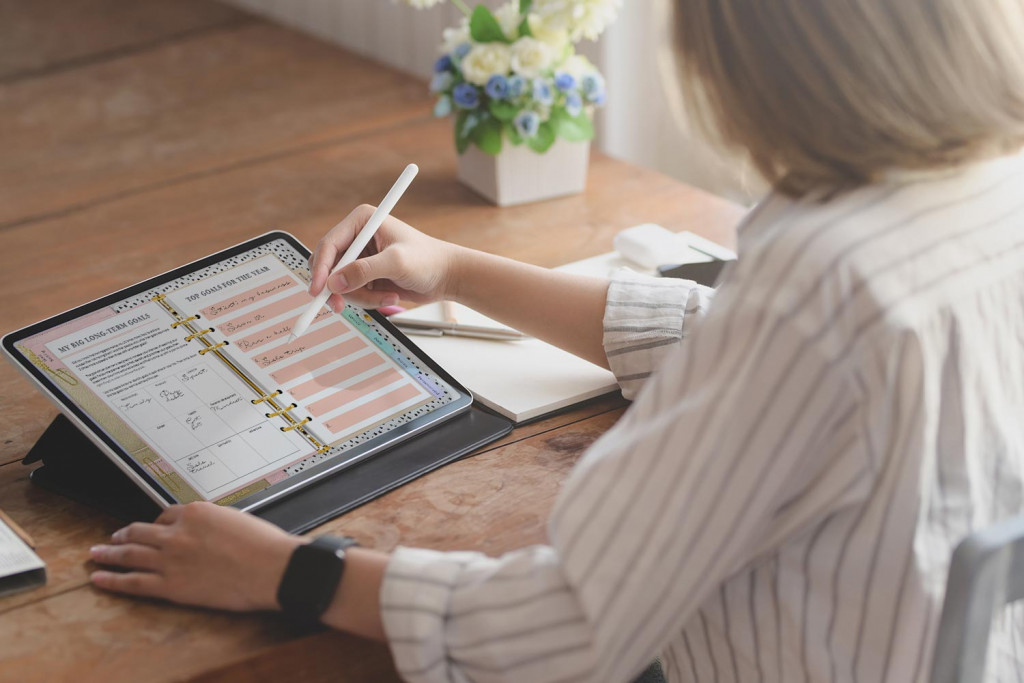
We are going to assume that you already have your iPad or tablet for your digital planner (if not then check out the post below to help you decide which tablet will work best for you). So we will jump straight into the digital planner accessories that are going to help you make the most of using your tablet with a digital planner.
You may also like: What Is The Best iPad For Digital Planning?
1. [easyazon_link keywords=”Stylus” locale=”US” tag=”pplan-20″] A Stylus[/easyazon_link]
[easyazon_image align=”center” height=”500″ identifier=”B07K1WWBJK” locale=”US” src=”https://m.media-amazon.com/images/I/21MYUn2OQEL._SL500_.jpg” tag=”pplan-20″ width=”500″]
Although it is possible to use your digital planner without a stylus we promise that once you try using a stylus you will never go back.
It makes using your planner more precise as well as allows you to add handwritten notes to your pages. As an added bonus it also helps keep your screen cleaner!
Our personal favorite stylus is the [easyazon_link keywords=”Apple Pencil” locale=”US” tag=”pplan-20″]Apple Pencil[/easyazon_link].
When you are looking for a stylus it is important to make sure you get one that is compatible with the tablet you are using.
[easyazon_link keywords=”Stylus” locale=”US” tag=”pplan-20″]Find A Stylus to suit you HERE[/easyazon_link]
You may also like: Digital Planning For Beginners
2. Stylus Accessories
[easyazon_link keywords=”stylus grip” locale=”US” tag=”pplan-20″]stylus grip[/easyazon_link]
[easyazon_image align=”center” height=”500″ identifier=”B07SG3C5TQ” locale=”US” src=”https://m.media-amazon.com/images/I/21qdsHKgAvL._SL500_.jpg” tag=”Pplan-20″ width=”500″]
Using a Pencil Skin or Stylus grip will be a game-changer, even if you have been using a stylus for a while.
Not only will it protect your stylus but it makes using your stylus so much more comfortable. Most stylus grips are made from silicone which makes it easier to hold your stylus and also stops it from rolling ( no more mad dashes to stop it rolling off your desk!)
[easyazon_link keywords=”stylus grip” locale=”US” tag=”pplan-20″]Find A Stylus Grip You Love HERE[/easyazon_link]
[easyazon_link keywords=”Stylus Holder” locale=”US” tag=”pplan-20″]Stylus Holder[/easyazon_link]
[easyazon_image align=”center” height=”500″ identifier=”B07H26LC4K” locale=”US” src=”https://m.media-amazon.com/images/I/41Zqu0e2obL.SL500.jpg” tag=”pplan-20″ width=”500″]
Stop losing your stylus at the bottom of your bag…or misplacing it, with a handy Stylus holder or case.
You can choose from a simple carry case, that can handily hold your charger too, or from a holder that attaches to your tablet case.
[easyazon_link keywords=”stylus holder” locale=”US” tag=”pplan-20″]Find The Perfect Stylus Holder HERE[/easyazon_link]
[easyazon_link keywords=”stylus tip” locale=”US” tag=”pplan-20″]Stylus Tip[/easyazon_link]
[easyazon_image align=”center” height=”500″ identifier=”B08YJDHWMW” locale=”US” src=”https://m.media-amazon.com/images/I/312-tqQZneL.SL500.jpg” tag=”pplan-20″ width=”500″]
Did you know that you can use different tips on your stylus? Perfect if you love creating beautiful handwriting in your digital planner or you need to replace a worn nib.
Just be sure they are compatible with the stylus you have.
[easyazon_link keywords=”stylus tip” locale=”US” tag=”pplan-20″]Choose The Right Stylus Tip For You HERE[/easyazon_link]
3. [easyazon_link keywords=”Tablet Case” locale=”US” tag=”pplan-20″]Tablet Case[/easyazon_link]
[easyazon_image align=”center” height=”500″ identifier=”B07YJCR135″ locale=”US” src=”https://m.media-amazon.com/images/I/51tMCIcaXZL.SL500.jpg” tag=”pplan-20″ width=”500″]
Your digital planner works best if you have it at hand easily. This means you will need to transport your device around with you during the day.
To keep your tablet safe it is always best to use a protective case. The fun part is that your case can still be protective while being stylish too.
[easyazon_link keywords=”Tablet Case” locale=”US” tag=”pplan-20″]Find The Best Tablet Case For You HERE[/easyazon_link]
4. [easyazon_link keywords=”Paper feel Screen Protector Compatible With IPad” locale=”US” tag=”pplan-20″]Paper feel Screen Protector[/easyazon_link]
[easyazon_image align=”center” height=”500″ identifier=”B07SKV995M” locale=”US” src=”https://m.media-amazon.com/images/I/41DdgG8dbqS.SL500.jpg” tag=”pplan-20″ width=”500″]
A screen protector is always a good idea. Not only to help keep your screen clean but to stop scratches and abrasion.
But did you know that you can get screen protectors that make it feel like you are writing on paper! Perfect for Digital Planning.
[easyazon_link keywords=”Paper feel Screen Protector Compatible With IPad” locale=”US” tag=”pplan-20″]Try A Paper Feel Screen Protector HERE[/easyazon_link]
5. [easyazon_link keywords=”Bluetooth Keyboard for iPad” locale=”US” tag=”djplanner-20″]Bluetooth Keyboard[/easyazon_link]
[easyazon_image align=”center” height=”500″ identifier=”B078RH2C7P” locale=”US” src=”https://m.media-amazon.com/images/I/41HMgQQN-jL.SL500.jpg” tag=”pplan-20″ width=”500″]
Although we love using a stylus, a keyboard can be really handy for Digital Planning. This is especially true if you are a fast typer or prefer typing over handwriting.
Look for a Bluetooth keyboard so that you don’t have any wires. You can even get cases that have keyboards with them.
[easyazon_link keywords=”Bluetooth Keyboard for iPad” locale=”US” tag=”djplanner-20″]Choose A Bluetooth Keyboard HERE[/easyazon_link]
6. [easyazon_link keywords=”Bluetooth Mouse For iPad” locale=”US” tag=”pplan-20″]Bluetooth Mouse[/easyazon_link]
[easyazon_image align=”center” height=”500″ identifier=”B0814ZMYMS” locale=”US” src=”https://m.media-amazon.com/images/I/41i3D-LtM1L.SL500.jpg” tag=”pplan-20″ width=”500″]
A Bluetooth mouse can be a useful digital planner accessory. It makes it super easy to click on hyperlinks and drag text boxes etc.
[easyazon_link keywords=”Bluetooth Mouse For iPad” locale=”US” tag=”pplan-20″]Find Out More About A Bluetooth Mouse HERE[/easyazon_link]
DIGITAL PLANNERS Accessories To Download
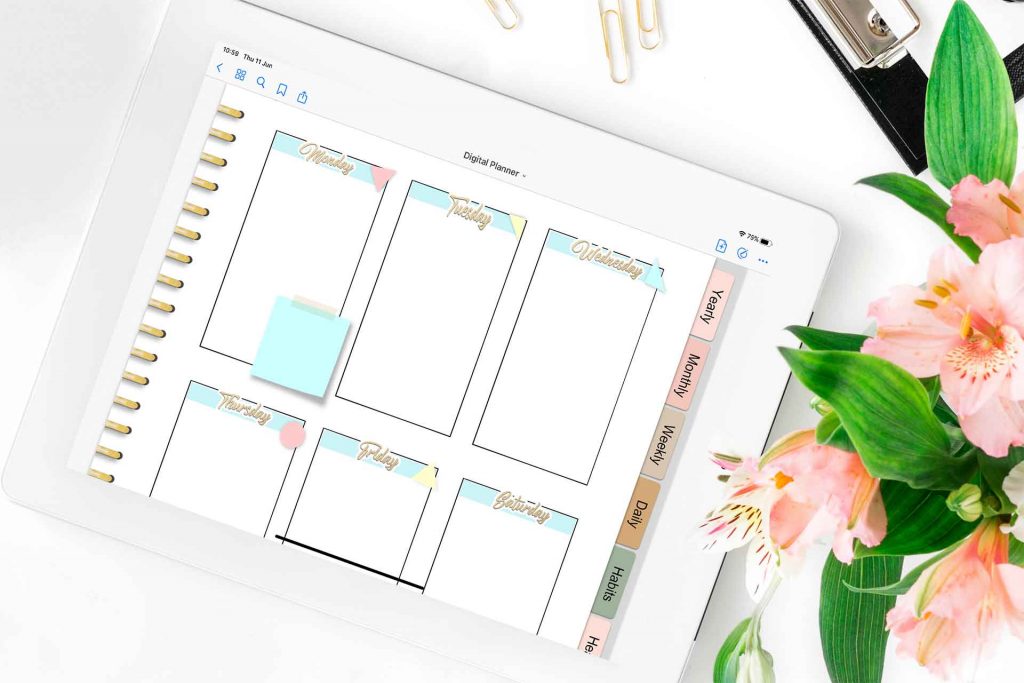
Next, we wanted to share the Digital accessories that can turn your planner from Meh to WOW!
Most Digital planners come with basic pages and hyperlinks. The digital downloads that follow can be added as files to your device so you can drag and drop them onto your pages.
Some are useful for extra organization, while others will make your Digital planner unique and stylish. Personalizing your planner is an easy way to make it special, and if your planner makes you happy then we think that is an extra bonus!
7. Digital Planner Covers
A digital notebook cover is such a simple way to make your planner beautiful and unique.
The great news is that you can learn to make your own or buy pre-designed ones that you just download and use.
Find both options below.


8. Digital Post-It Notes
We all love post-it notes, right? Well, the good news is that you can use them on your digital planner too!
They’re perfect if you just want to add a note you plan to move or delete later. Or even add some color and fun to a page in your planner.
Check out our Pastel Digital post-it notes below.

9. Digital Stickers
We love digital stickers!
You can reuse them over and over again in your planner ( no waste is a BIG tick for us as we try and do what is best for the environment).
They add lots of color to your Planner and they can make important information and notes stand out so that you don’t accidentally miss them. There are stickers for every occasion and theme.
As with lots of planner digital accessories, you can learn to make your own or buy pre-made ones.
Find out more below.

If you want to customize your own Digital Stickers to match planner pages and more, check out our Digital Sticker System. You can customize hundreds of great Digital sticker templates in just minutes.

10. Digital Paper Clips
Want to make your Digital Planner feel more like your traditional planner?
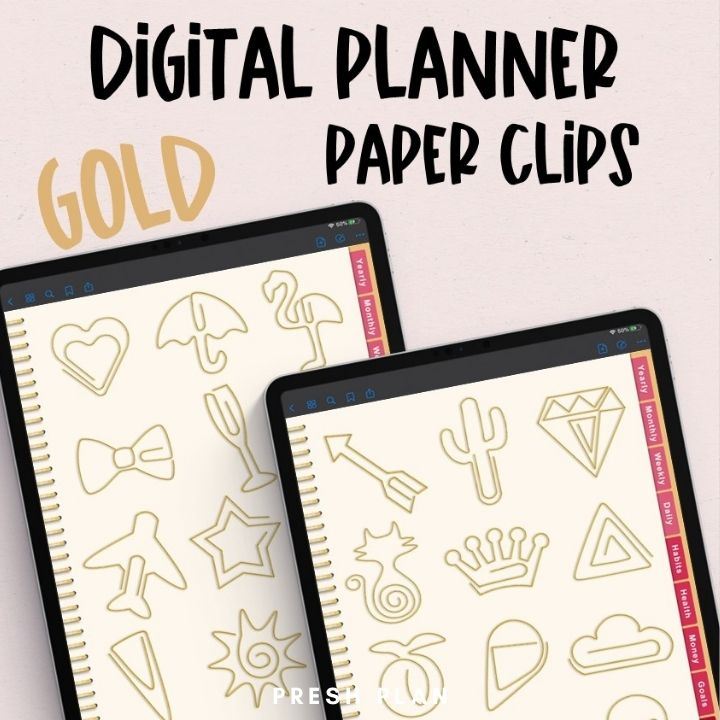
Add some fun with Digital paper clips. Perfect to decorate pages and add extra notes to your entries.
11. Digital Binders
Digital Planner Binder Rings are another easy way to make your Digital Planner feel more like an analog planner.
Find out how to create your own or check out our gorgeous metallic binder set below.


More Digital Planning Accessory Ideas:

PIN FOR LATER!
